Scanit.Readit.
Hearit.
AI-powered OCR, smart edge detection, a full PDF toolkit — and neural voices that read any document aloud. All of it offline, all of it on your device.
NewAudiobook mode — listen to any document→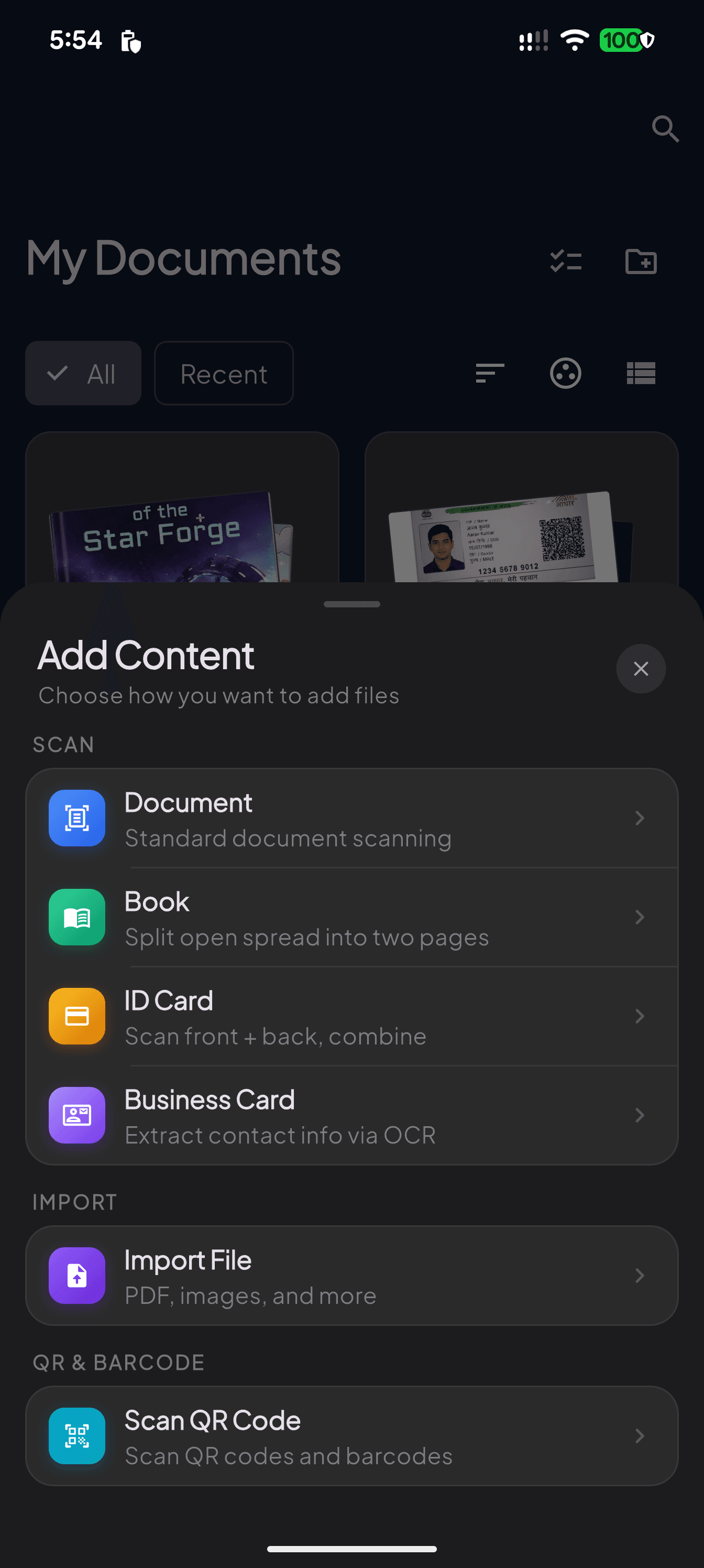
Features
Everything you need.
Nothing you don't.
AI-Powered OCR
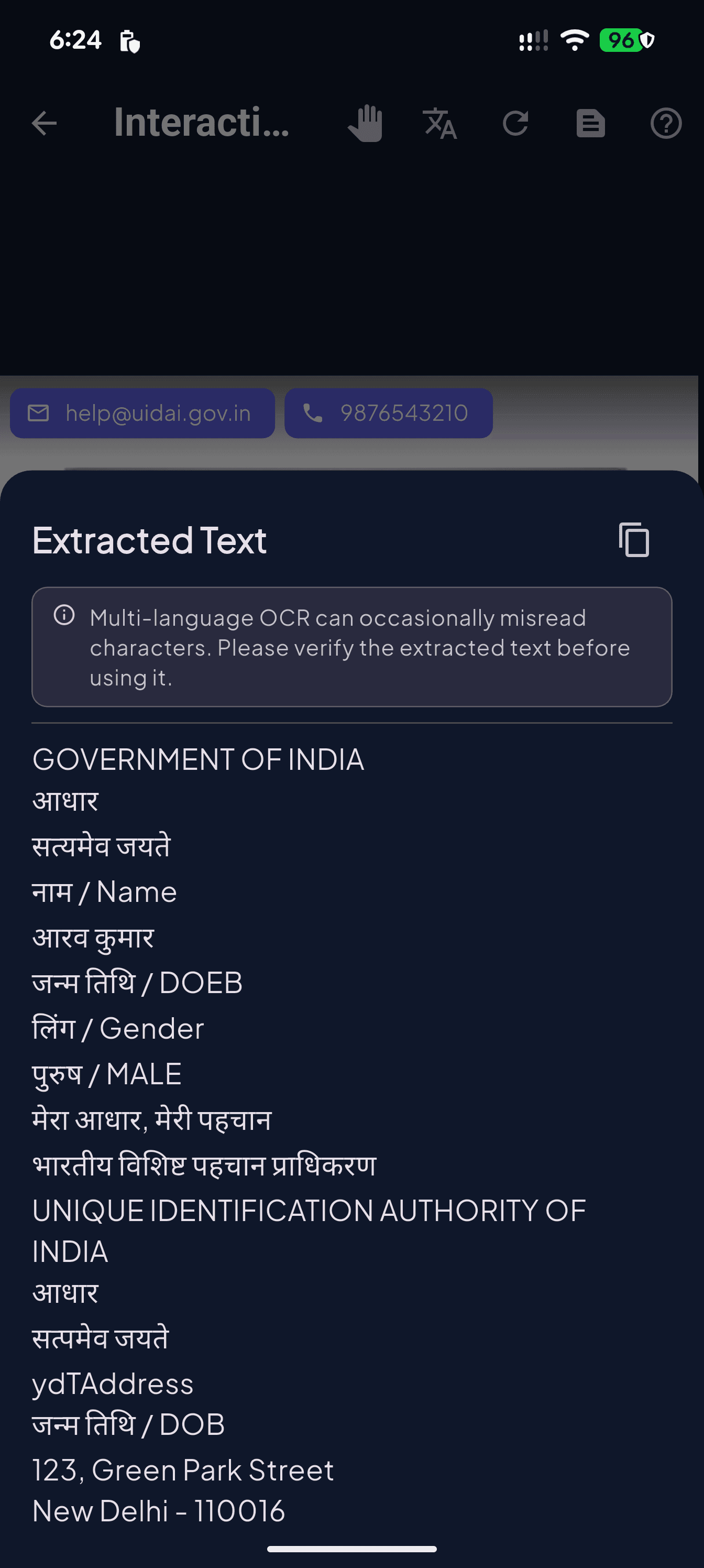
Scan a page — get clean, copyable text in seconds. 50+ languages, 99.2% accuracy, every glyph processed on-device.
Smart Edge Detection
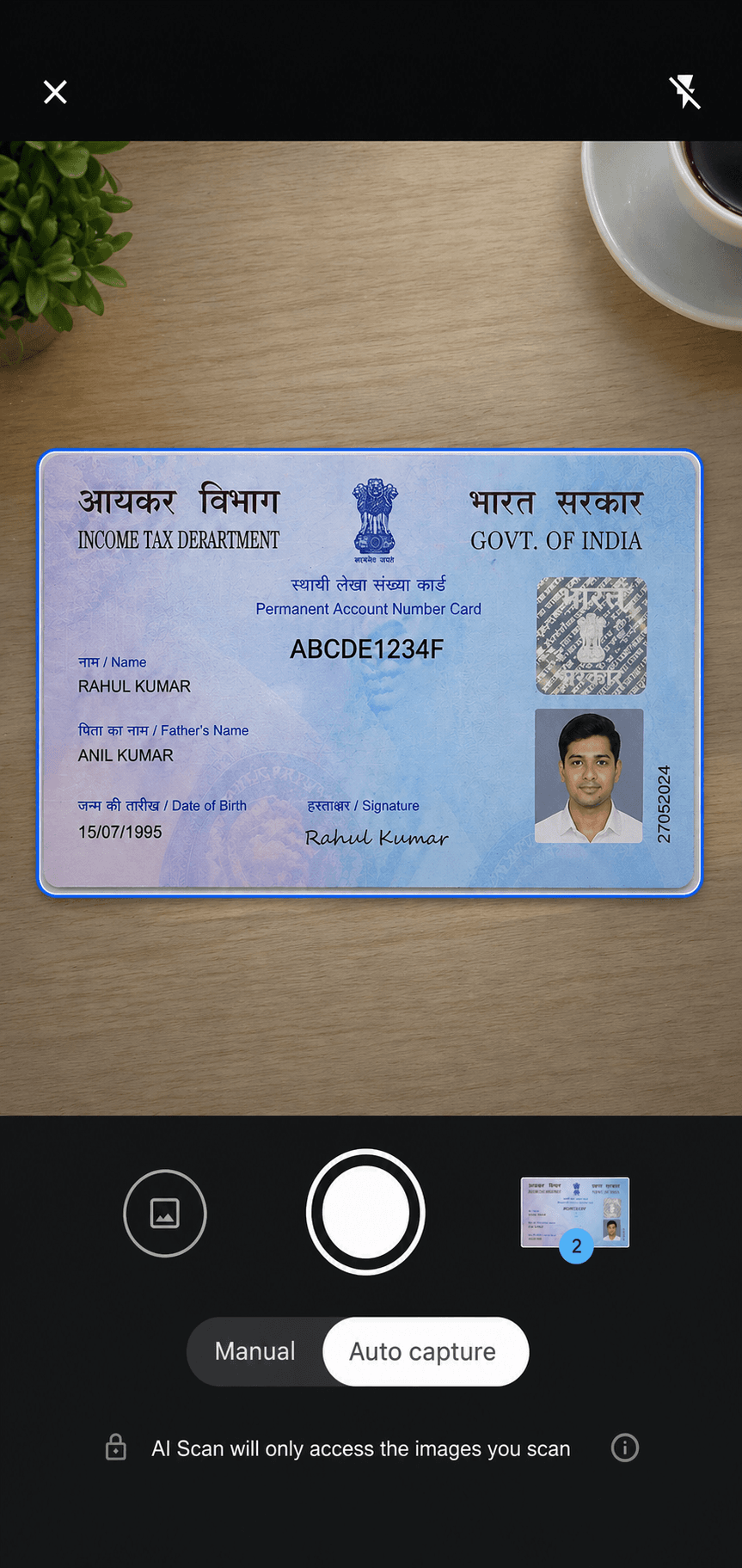
Live boundary tracking with auto-capture for crisp ID cards and documents.
Full PDF Toolkit
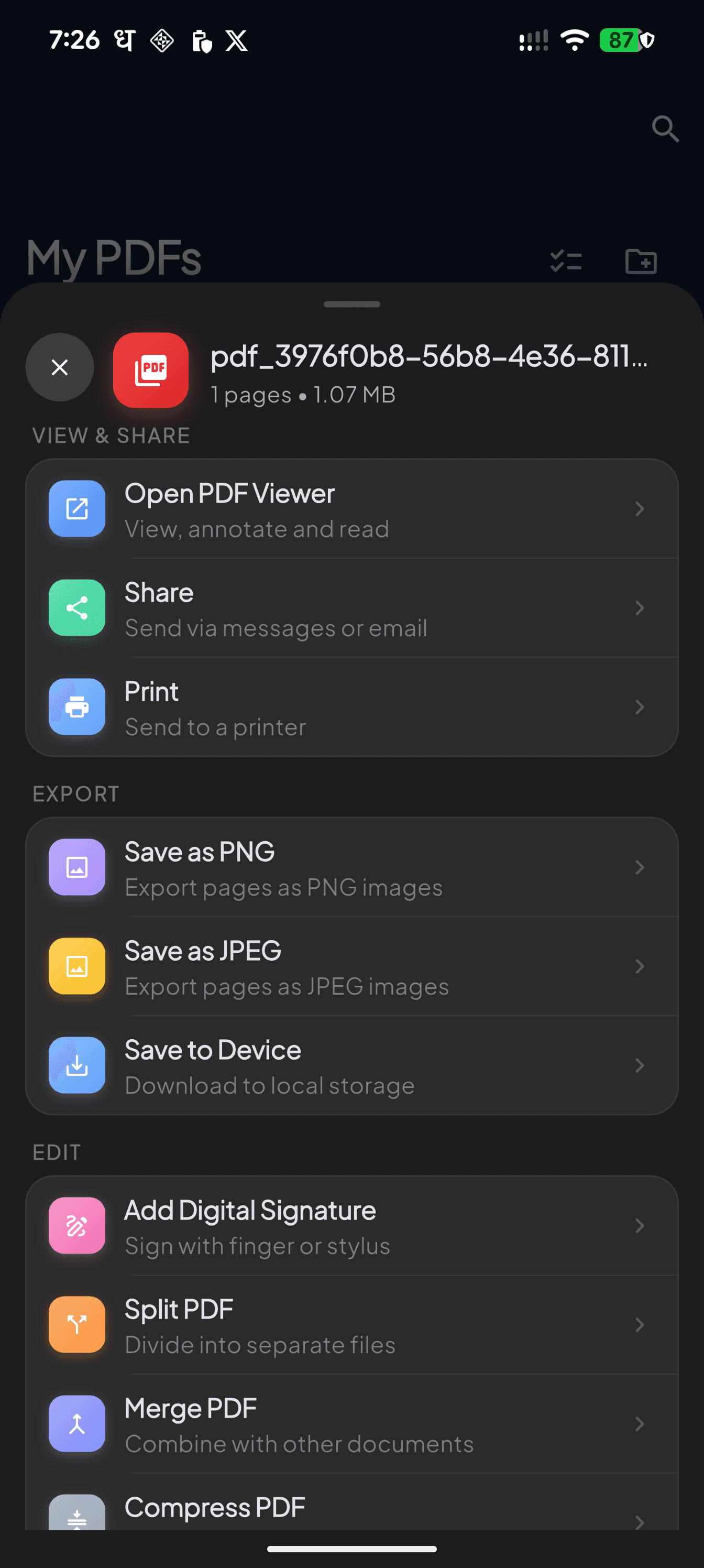
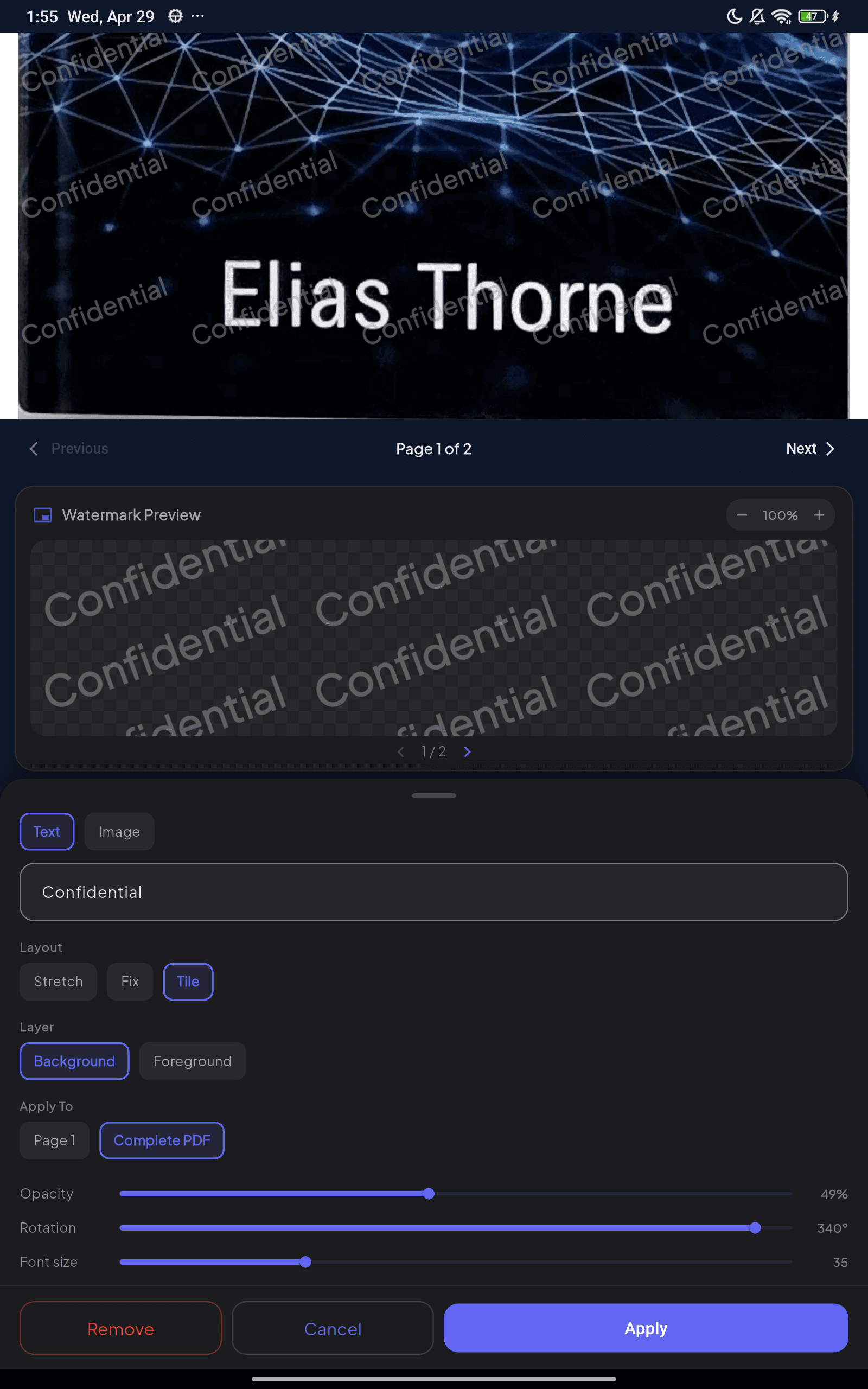
Merge, compress, watermark, sign, lock — every tool in one sheet.
Offline First
Every feature — scanning, OCR, PDF tools, even the voices — works without an internet connection. Airplane mode? No problem. Your data never has to leave the device.
Audiobook Mode
New: neural voices read your scans, PDFs and extracted text aloud — offline, in the background, at whatever speed suits you. Scroll down to hear how it works.
New — Audiobook mode
Don't just read it.
Listen to it.
Every scan, PDF and page of extracted text can be played back in a natural neural voice. Turn a contract into a commute, a textbook into a walk — with nothing leaving your device.
Now playing
Lease Agreement — 14 pages
Aria · 1.2× · Offline
Installed voices
Player illustration — voices and controls as they appear in the app.
Neural voices, fully offline
The speech model runs on your phone. Airplane mode, a dead zone, a flight — playback never depends on a server.
Take only the voices you want
Preview any voice before downloading, keep the two you like, and delete the rest to reclaim the space.
Keeps playing in the background
Lock the screen and it keeps reading, with proper media controls on the lock screen and in your notification shade.
Your pace, your place
Adjust speed on the fly and pick up exactly where you stopped — the player remembers each document separately.
Reading and listening, side by side
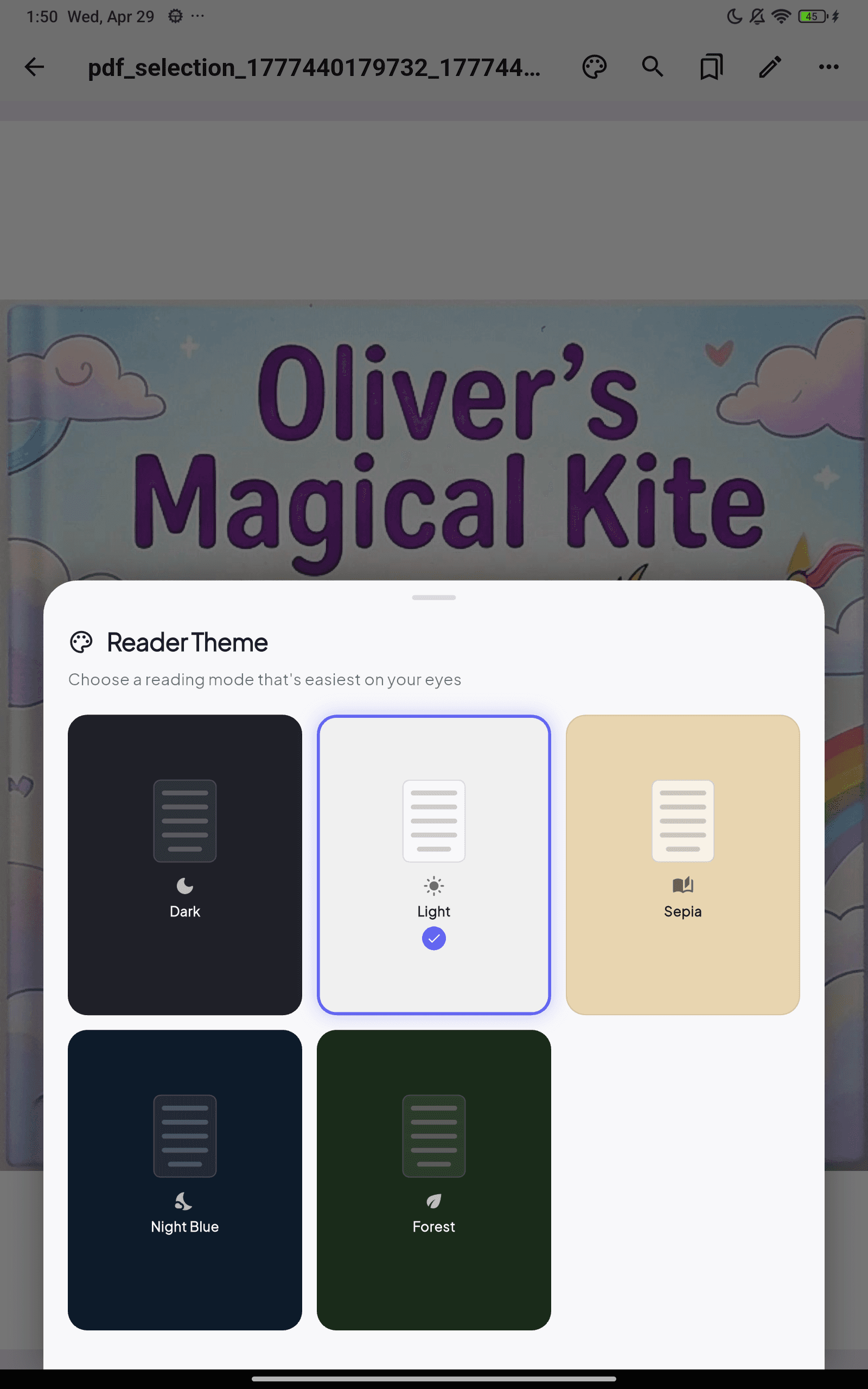
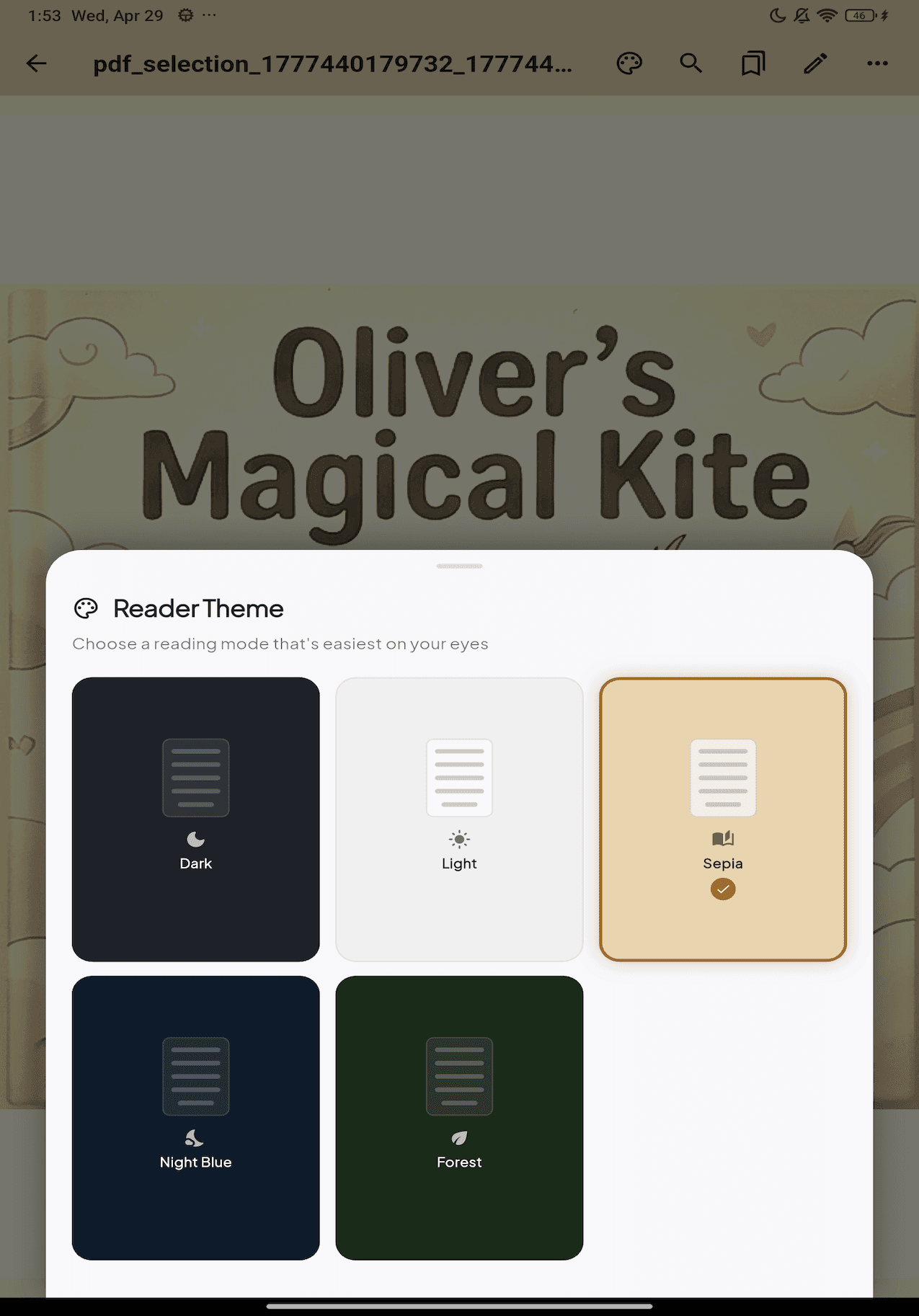
Follow along on screen while the narrator reads, in whichever theme is kindest to your eyes — dark, light, sepia, night blue or forest.
Walk-through
From paper to searchable PDF
in five taps.
Capture anything.
Point, frame, done. Real-time edge detection locks onto receipts, IDs, books and business cards — auto-capture fires the moment your hands stop shaking.
Choose how you scan.
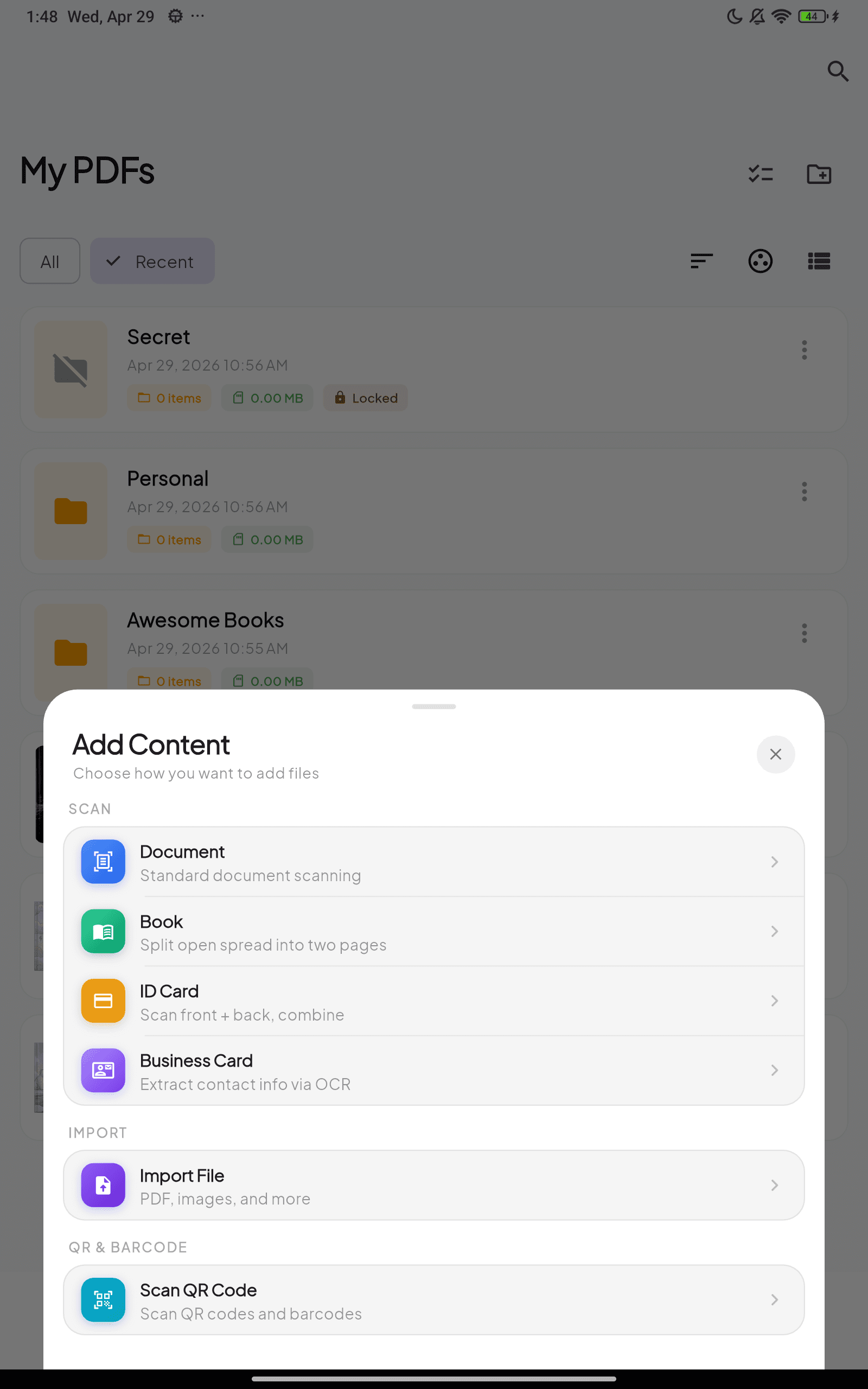
Document. Book spreads. ID front + back. Business card OCR. Or import an existing PDF — one bottom sheet, every workflow.
Read what's inside.
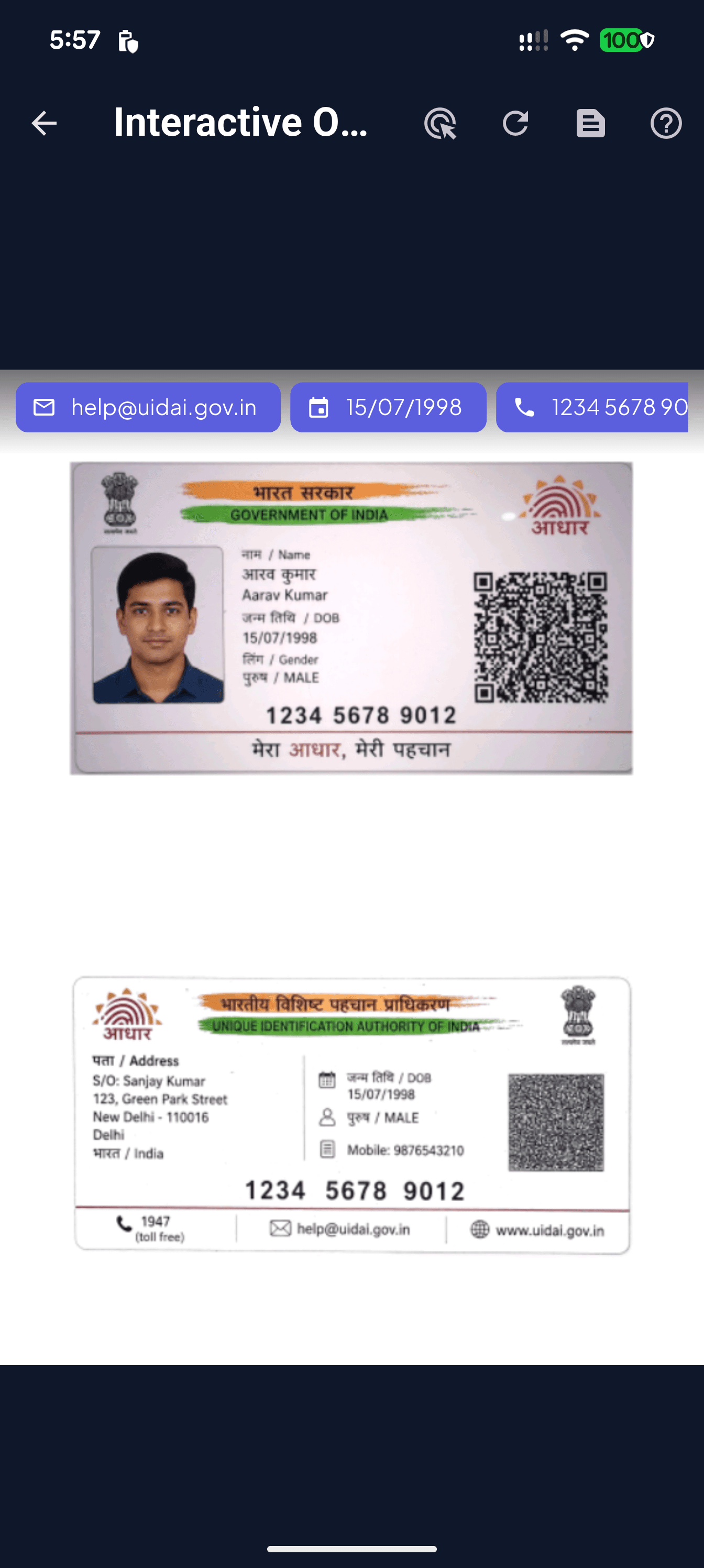
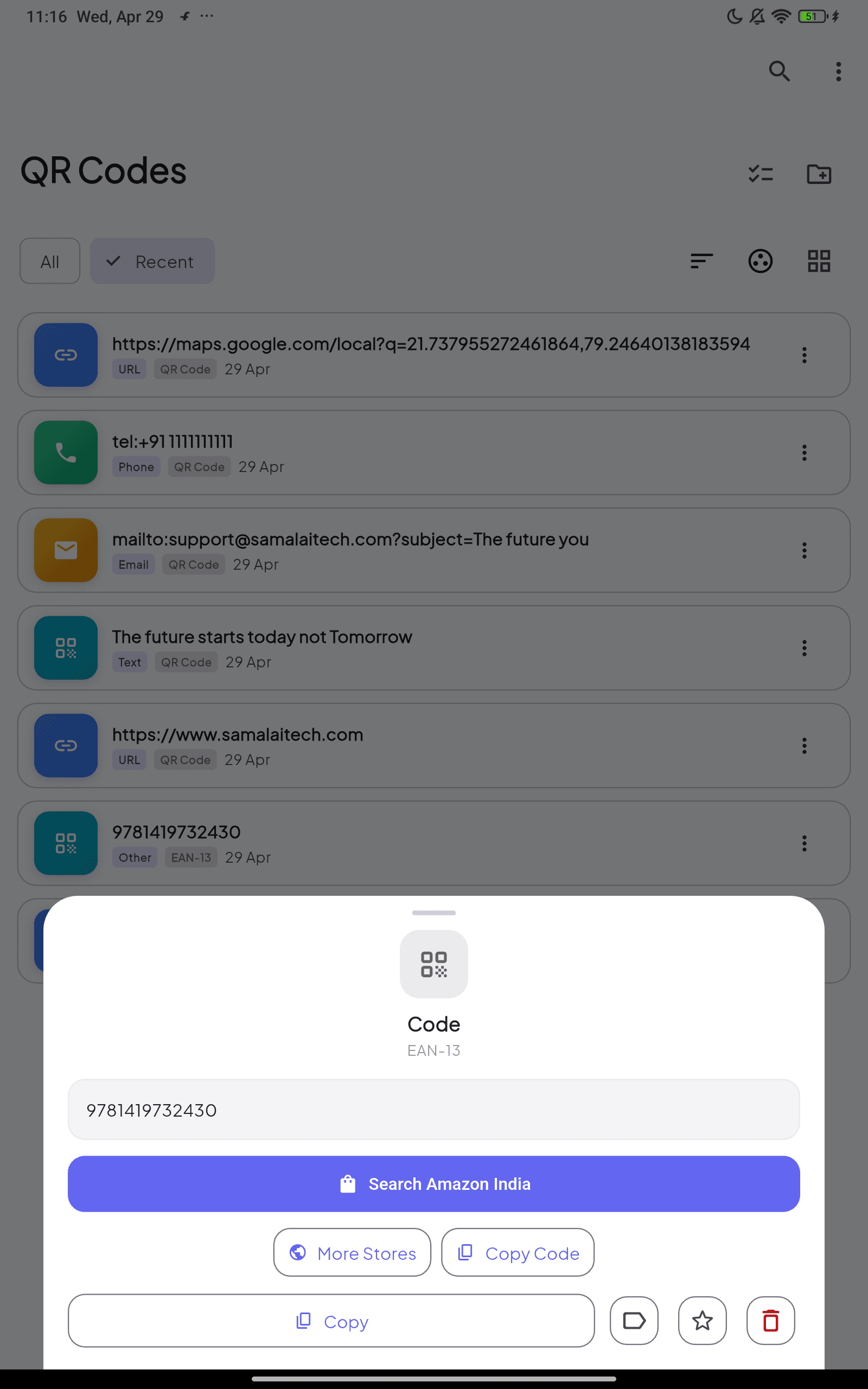
Tap any extracted email, date or phone number to act on it instantly. Interactive OCR turns scanned ink into live, copyable, shareable data.
Across every script.
On-device multi-language OCR — English, Hindi, Devanagari, Chinese, Japanese, Korean. No server round trips. No data leaving your phone.
Then rule the PDF.
Merge, compress, lock, watermark, sign, split, sync to Drive — every PDF tool you'd reach for a desktop app for, in one beautiful sheet.
A real desktop on
your tablet.
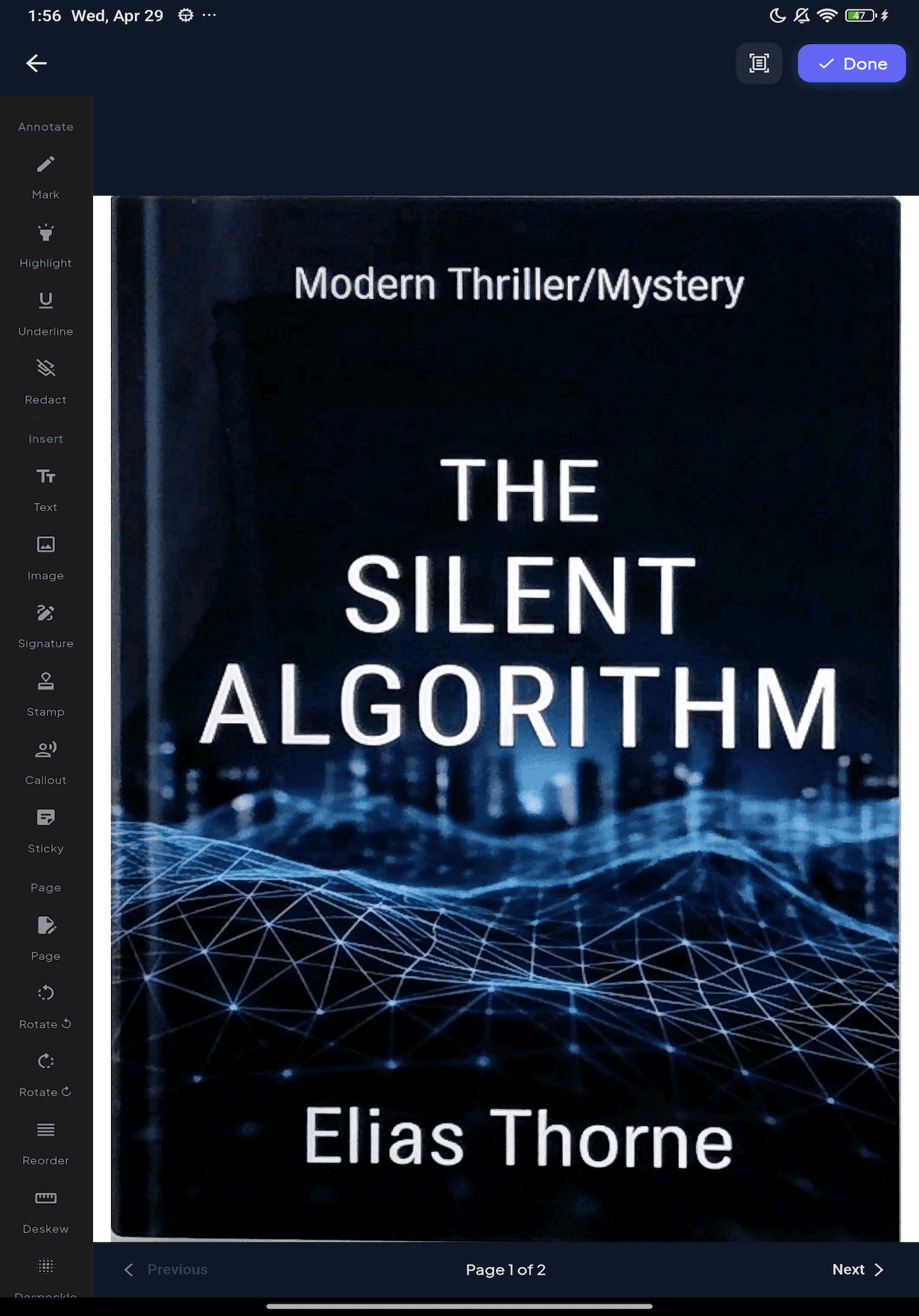
Every grid, sheet and editor expands intelligently on larger screens. Annotate with a stylus, design watermarks with live preview, switch reader themes — without ever opening a laptop.
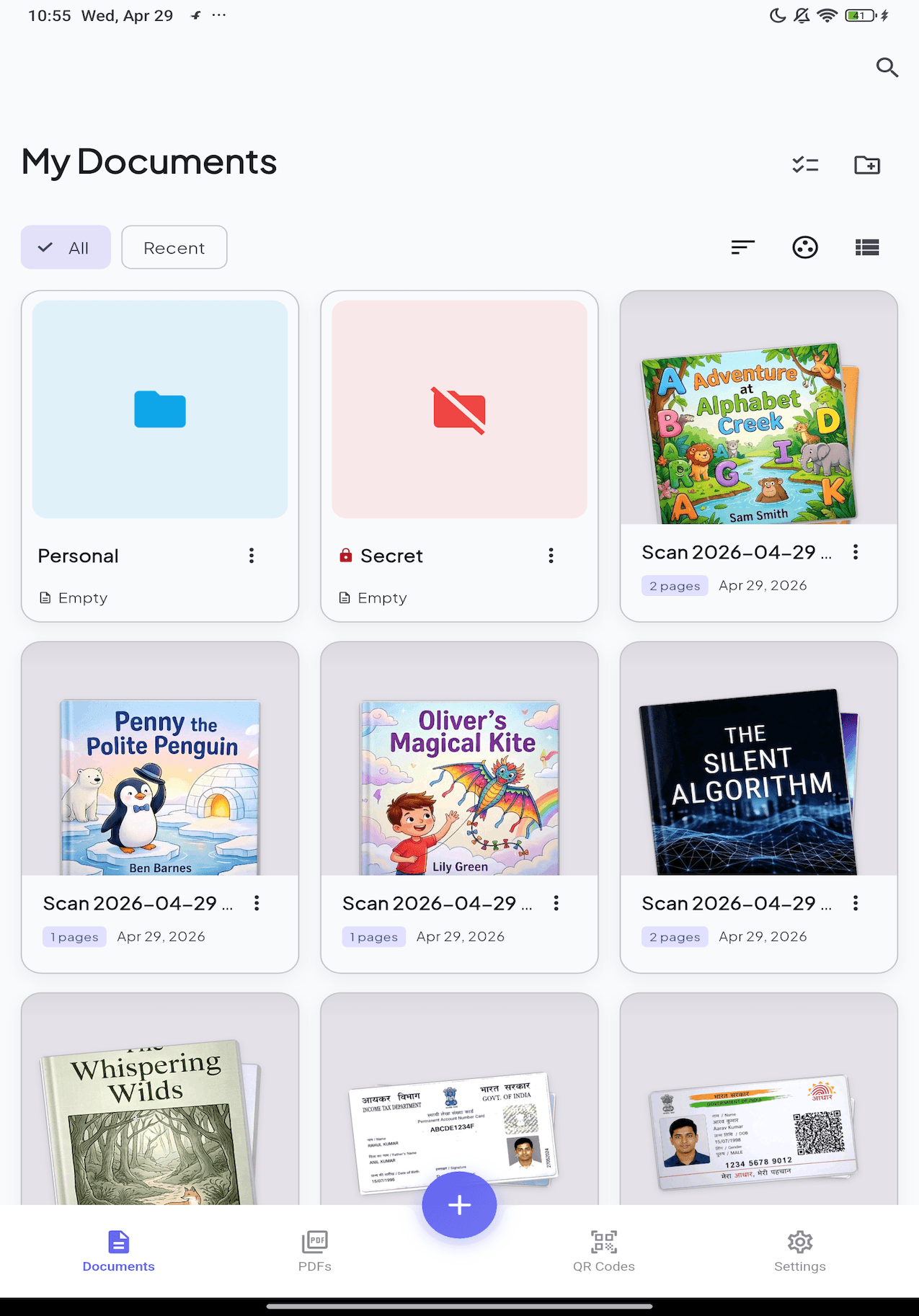
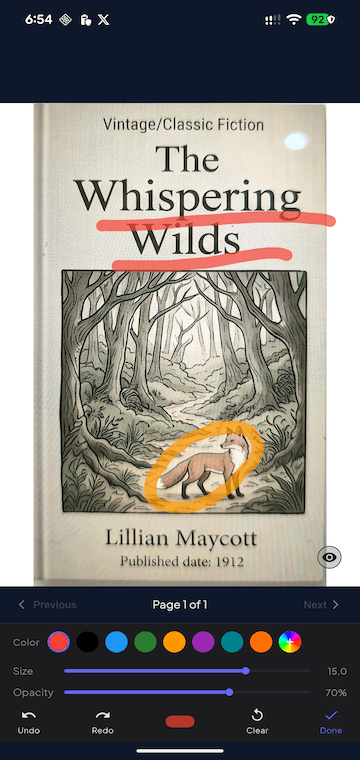
Document Library
Your scans, beautifully organized in a responsive grid that scales to tablets.
Technical Specs
Built for
professionals.
Every detail engineered for speed, accuracy, and reliability. From camera to PDF in seconds.
Every screen
A glimpse of what's
in your pocket.
Reviews
Loved by thousands
around the world.
“Replaced my office scanner entirely. The OCR accuracy is insane — it even reads my doctor's handwriting.”
“Best scanner app I've used. The edge detection is flawless and PDFs look professional every time.”
“Love that everything works offline. I scan receipts on the go without worrying about data usage.”
“The batch scanning feature saved me hours. Scanned 200 pages of contracts in under 10 minutes.”
“Replaced my office scanner entirely. The OCR accuracy is insane — it even reads my doctor's handwriting.”
“Best scanner app I've used. The edge detection is flawless and PDFs look professional every time.”
“Love that everything works offline. I scan receipts on the go without worrying about data usage.”
“The batch scanning feature saved me hours. Scanned 200 pages of contracts in under 10 minutes.”
“Finally an app that handles Japanese text recognition perfectly. Switched from CamScanner instantly.”
“Clean UI, fast exports, great quality. This is what a premium scanner app should feel like.”
“The AI categorization is magical. It auto-tags my receipts, IDs, and documents without me lifting a finger.”
“PDF encryption gives me peace of mind for sensitive documents. Security + convenience in one app.”
“Finally an app that handles Japanese text recognition perfectly. Switched from CamScanner instantly.”
“Clean UI, fast exports, great quality. This is what a premium scanner app should feel like.”
“The AI categorization is magical. It auto-tags my receipts, IDs, and documents without me lifting a finger.”
“PDF encryption gives me peace of mind for sensitive documents. Security + convenience in one app.”